Create a Meter Exemption
A meter exemption is created in the MSATS Market Settlement and Transfer Solutions. The procedures published by AEMO under clause 7.2.8 of the National Electricity Rules, which include those governing the recording of financial responsibility for energy flows at a connection point, the transfer of that responsibility between market participants, and the recording of energy flows at a connection point. Web Portal with the option to either upload a list of associated NMIs in a csv Comma Separated Values. A file format for data using commas as delimiters. file or manually enter NMI See Relevant Rules or Procedures details.
To create an exemption:
-
In the MSATS menu, select Meter Exemptions > Exemptions.
-
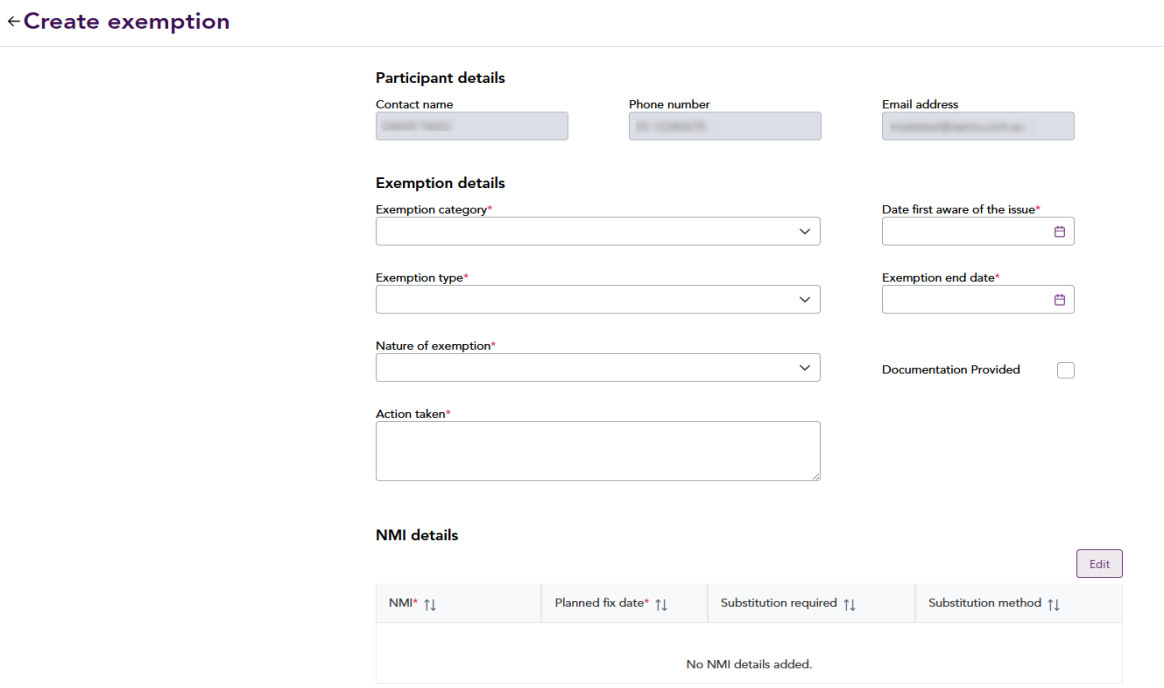
In the upper-right of the screen, click New exemption. The Create Exemption screen is displayed.
-
Under Exemption details, provide information in the fields. Participant details are automatically populated based on the Participant ID. If the Documentation provided checkbox is selected, supporting documentation with the allocated exemption number must be sent to meter@aemo.com.au.
-
Under NMI details, either:
-
Click Attach a csv. On the pop-up screen, click Upload and attach the csv file with the list of NMIs. For information about the file format, see csv payload.
-
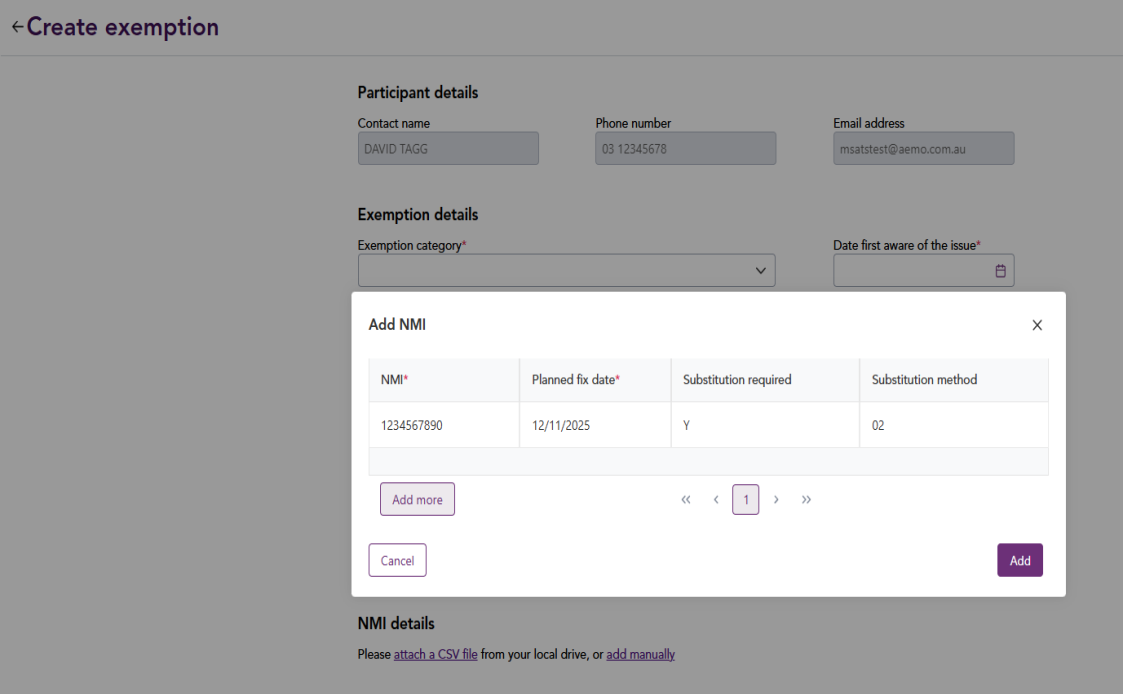
Click Add manually. In the Add NMI pop-up screen, enter the NMI details in the provided fields. Click Add more to add more NMIs, then click Add. For help, see Add NMI.
-
Click Create.
-
On the confirmation screen, click Yes. Associated NMIs are validated. Any NMIs failing validation are excluded from the exemption. For details, see Validation Rules.
After submitting the exemption request, the exemption status is set to For Review
AEMO Australian Energy Market Operator reviews the exemption request. The status is updated with one of the following:
- Reject: The exemption is rejected when it is not supported within the Rules The National Gas or Electricity rules. or in the More Info status for more than 25 calendar days.
- More Info: Additional information is requested before further assessment. This must be completed within 25 calendar days or the request is rejected. For help, see Update a meter exemption request.
- Approve: The exemption is approved. All details in the exemption (including NMI details) are stored and cannot be updated, except the Action Reason field. If the exemption is a:
- Metering Installation Malfunction: For each NMI, the Meter Malfunction Exemption Number and Meter Malfunction Exemption Expiry A reallocation request expires if it is not authorised prior to the submission cut-off date applicable to the start date of the reallocation request. Date data fields are updated.
- Type 4a: Meter Coordinators (MCs)notify the approved exemptions.
The MC Meter Coordinator; The Role Code used in MSATS for an MC is RP. manages the active exemptions. For help, see Manage exemption.