Update a meter exemption request
NMIs in an exemption are updated by selecting the NMIs listed or bulk uploading changes in a csv Comma Separated Values. A file format for data using commas as delimiters. file.
To update an exemption request:
-
In MSATS or Markets Portal menu, select Meter Exemptions > Exemptions.
-
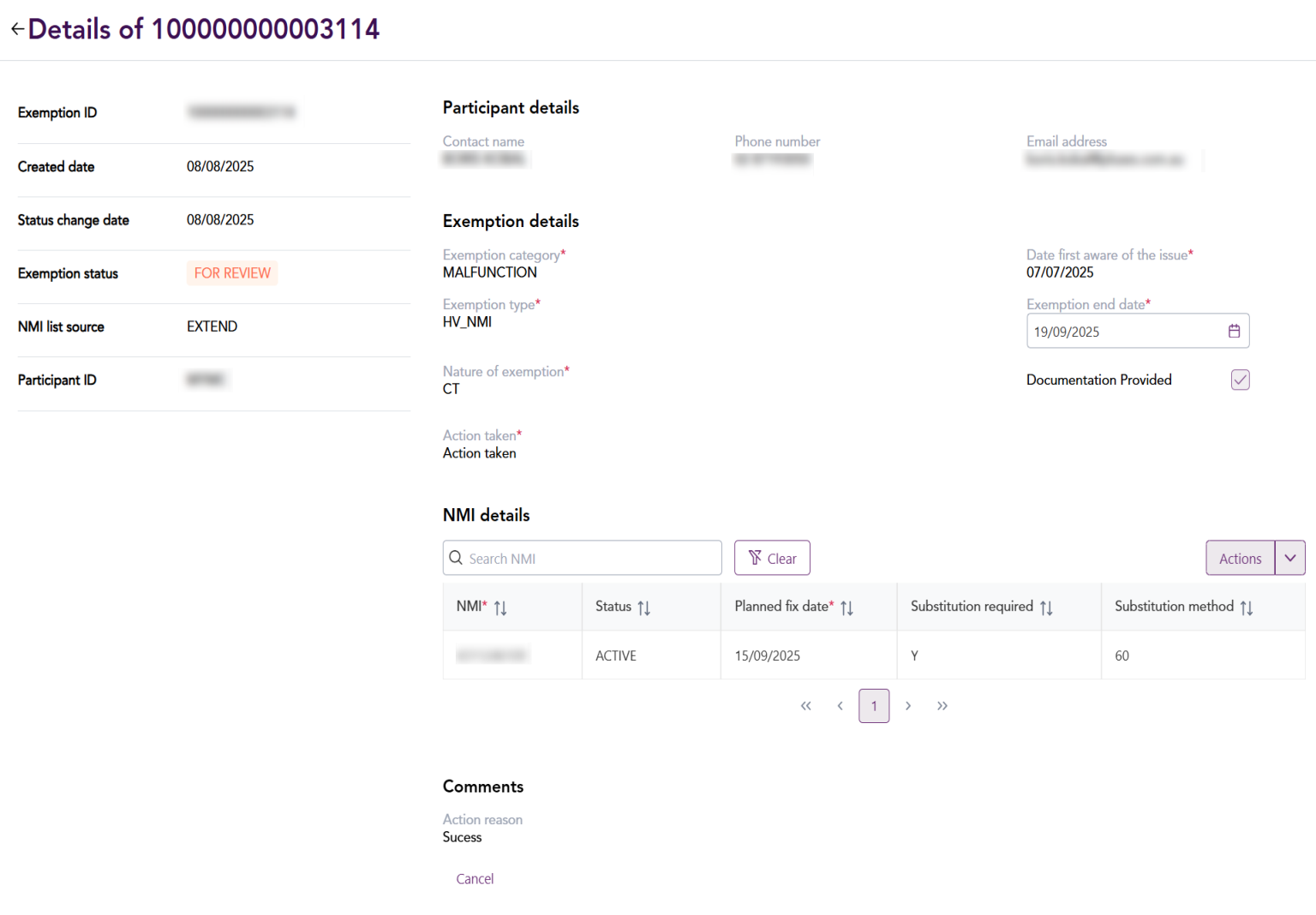
Click the Exemption ID in the exemptions list to open the exemption details screen.
-
Under NMI details, select the check box next to the NMIs to be updated.
-
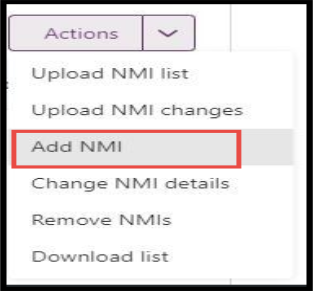
Click the Action drop-down list and select one of the following options to update the selected NMIs.
- Upload NMI list: Upload new NMIs as the csv file in Upload NMI See Relevant Rules or Procedures details pop-up screen.
- Upload NMI changes: Upload changes to existing NMIs in the exception in a csv file. Upload the csv file in the NMI details pop-up screen.
- Add NMI: Add NMIs to the exemption request.
- Change NMI details: Change Planned fix date and Substitution A process undertaken for the replacement of missing (null) or erroneous accumulated metering data or interval metering data where metering data has failed Validation. fields in the NMI table.
- Remove NMIs: Remove selected NMIs in the NMI table from the browser.
- Click Save.
After submitting the exemption request, the exemption status changes to FOR REVIEW and AEMO Australian Energy Market Operator reviews the request.