Upload CSV Submission
Before uploading your csv payload, ensure it conforms to the Last modified: 27 May 2025.
Once you have created your payload, follow these steps to upload it the MSATS Market Settlement and Transfer Solutions. The procedures published by AEMO under clause 7.2.8 of the National Electricity Rules, which include those governing the recording of financial responsibility for energy flows at a connection point, the transfer of that responsibility between market participants, and the recording of energy flows at a connection point. web portal:
- Access the Blind Updates web interface.
- In the Blind updates interface, click Upload csv submission.
-

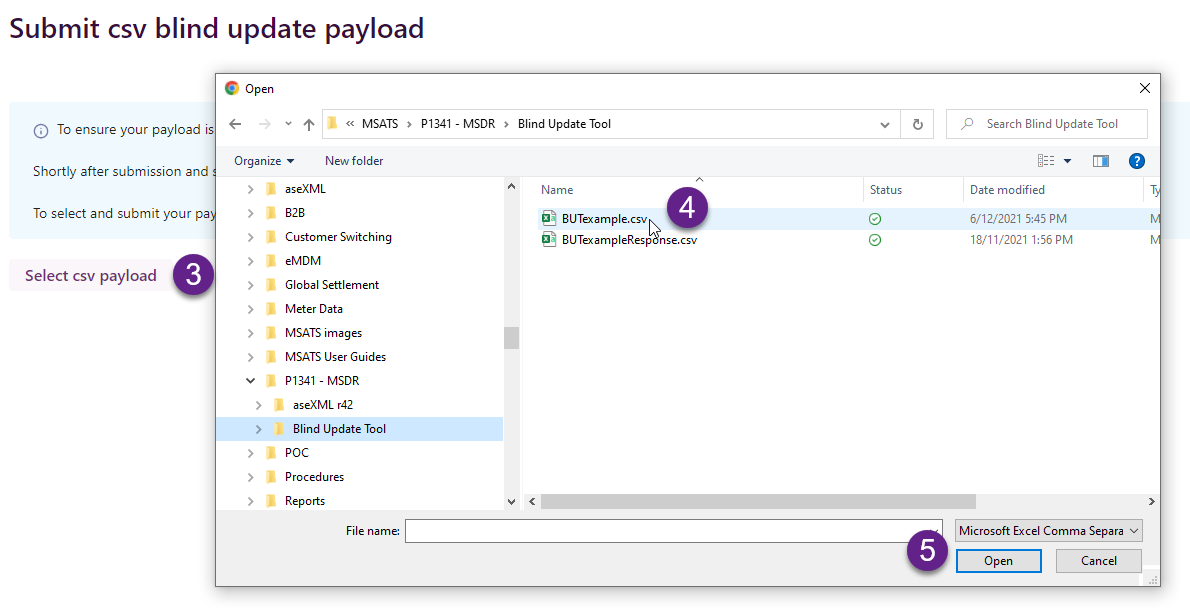
- In the Submit csv blind update payload interface, click Select csv payload.
- In the Open window, find and select your csv payload.
- Click Open.
-
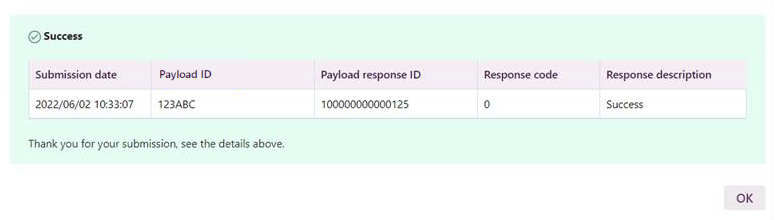
- Providing your payload is valid you see the following success message and your submission status is set to Pending. For details about statuses, see Submission process.
- Click OK to see the Status and these details in the interface. For help viewing the interface, see View and Search Submissions.
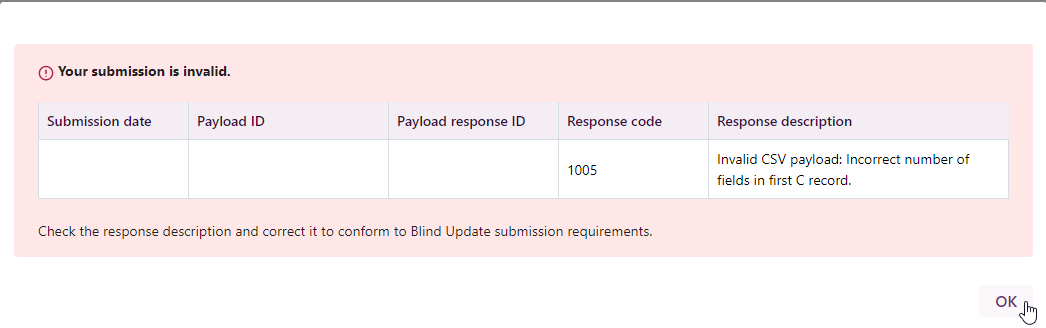
- If your payload is invalid, you see a Failure message. Click OK and check the Response code and description, fix your payload and resubmit. For help fixing validation errors, see BUT csv payload validation.
- When your submission status is PROCESSED, you can download a submission response using the API or MSATS Web Portal interfaces. The processing results are a mixture of payload successes and failures. The content is a similar csv format to the Submission with some extra columns.
Failure message
This is an example of a failed submission. Check the Response code and description, fix your payload and resubmit. For help fixing validation errors, see BUT csv payload validation.
Field explanation
|
Field |
Description |
|---|---|
|
Submission date |
Date of submission |
|
Payload ID |
Participant submission reference |
|
Payload response ID |
AEMO Australian Energy Market Operator submission reference |
|
Response code |
Validation message code. For help, check the code in Validation messages |
|
Response description |
Success: Valid submission |
|
Your submission is invalid: For help fixing invalid submissions, see Validation messages |