Accessing VAr Dispatch
The Markets Portal interface is one way from AEMO to participants. Participants cannot use it to inform AEMO of device unavailability, see Reactive device availability.
Environments
The Markets Portal Web applications for registered participants only. Requires access to MarketNet. web applications have pre-production and production environments.
Set Participant
Providing you have permission to do so, the Set Participant function allows you to act for another participant without having to log out, change IDs and log in again. For help, see Set participant.
Markets portal requirements
For details about the VAr Volt-Ampere reactive power, relating to voltage control in the power system Dispatch See National Electricity Rules system requirements, see .
VAr Dispatch runs on both Windows and Unix-like operating systems.
Accessing the VAr Dispatch web interface
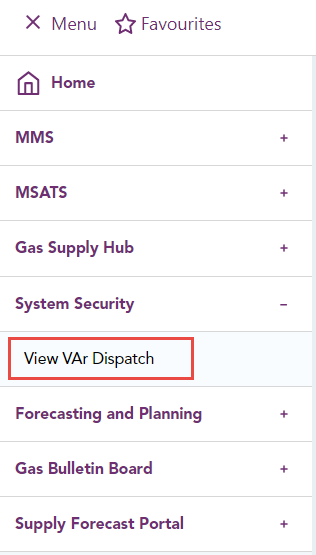
- From the left menu, click System Security > View VAr Dispatch.
- If you have the correct access rights, the GSH Reallocations interface displays. For more details, see:
- Participant filter
- Station filter
- Options filter
- Instructions and run date time
If you don't know who your company's PA Participant Administrator. Super-users who manage and perform system administration tasks for their own organisation’s participant users. is, contact AEMO Australian Energy Market Operator's support hub.
If you cannot see a menu item, it means you do not have access to the web application. Speak with your Participant ID Registered participant identifier; A company can have more than one Participant ID.'s Participant Administrator Creates and maintains access to AEMO systems for their Participant ID users. (PA) who can give you access rights.
For more details about participant administration and user rights access, see Guide to User Rights Management.