B2B inbox archive
About
When the first level acknowledgement (ac1) takes place in the B2B Business-to-Business. Generic term used to refer to defined business-to-business interactions between participants; excludes interactions between a participant and market systems such as MSATS. Inbox, it is archived into the B2B Inbox Archive folder. Access to the Inbox Archive is through the participant file share or the B2B Browser A web interface supporting the creation and management of a defined set of business-to-business transactions and acknowledgements. Optionally used to manage your B2B inbox and outbox. It remains part of the B2B e-Hub services. in the MSATS Market Settlement and Transfer Solutions. The procedures published by AEMO under clause 7.2.8 of the National Electricity Rules, which include those governing the recording of financial responsibility for energy flows at a connection point, the transfer of that responsibility between market participants, and the recording of energy flows at a connection point. web portal.
Browsing the B2B Inbox Archive
To browse the B2B inbox archive:
- On the main menu, click B2B Browser and then click B2B Inbox Archive.
- The B2B Inbox Archive interface displays, select your required sort order and click Refresh.
Click Reset to clear all fields and start again.
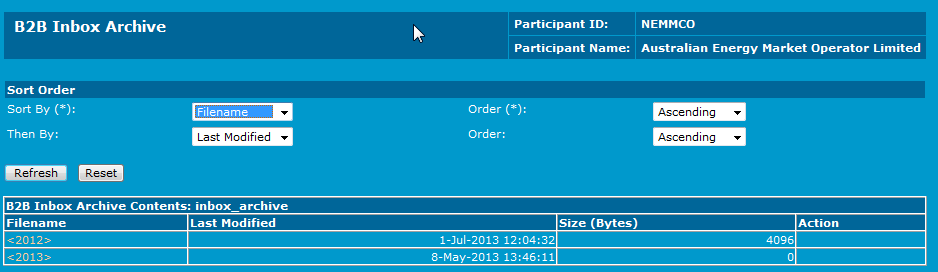
There is a hierarchy when browsing through the B2B Inbox Archive. At the top of this hierarchy is the Year directory under the Filename column. This is the top level of the archive directory and contains archives for previous years. Archive files are generally available for a period of 13 months. Only the B2B Archive can contain a .ZIP file with multiple files.
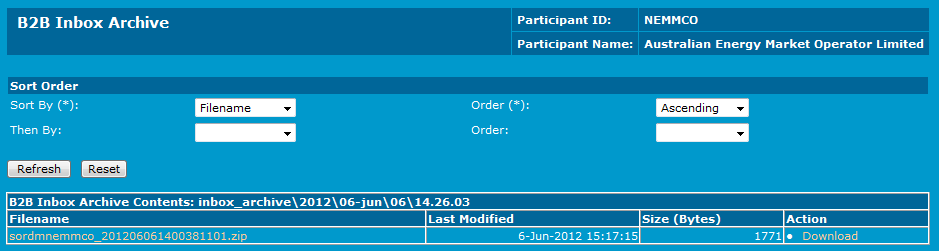
- Download the file by:
- Clicking Download next to the required file in the Action column.
- Viewing the file and clicking Download from the View Message interface.