Check for a B2B stopfile
To check for the presence of a B2B Business-to-Business. Generic term used to refer to defined business-to-business interactions between participants; excludes interactions between a participant and market systems such as MSATS. stopfile When the number of unacknowledged outbound files in your Participant Outbox exceeds the upper or lower limit, a Stopfile is imposed on your Participant Outbox Transactions. Once imposed no more processing on inbound or outbound Transactions occurs until the file numbers fall below the Lower Limit. in your B2B Outbox:
Unless you have placed the stopfile yourself, a stopped status indicates you are stopped from participating in the market. You cannot make any changes to your protocol preference or receiving schema until you clear the stopfile. For more details, see Technical Guide to MSATS.
- Access B2B transforms and protocols.
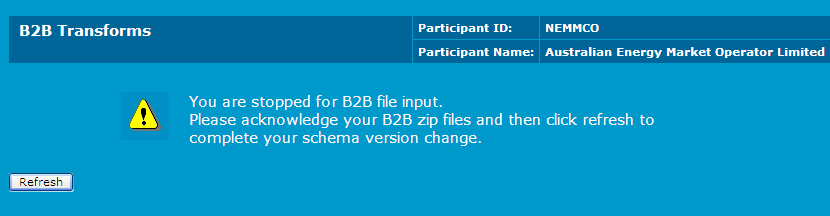
- If a stopfile is present the message below displays asking you to acknowledge the B2B zip files in your outbox. It must be empty for the transition to complete.
- If a stopfile is present, clear the outbox.
- Click Refresh to check if the stopfile is cleared. If yes, the B2B Transforms and Protocols interface displays.