Flow Control
The Flow Control interface provides real‑time visibility of message queue status across IDX Industry Data Exchange business functions and manages outbound message flow using configured watermark thresholds. It alerts participants when queue limits are approaching, automatically stops message delivery when thresholds are breached, and shows the message status.
The Flow Control API provides the same functionality for programmatic monitoring and integration in participants’ systems.
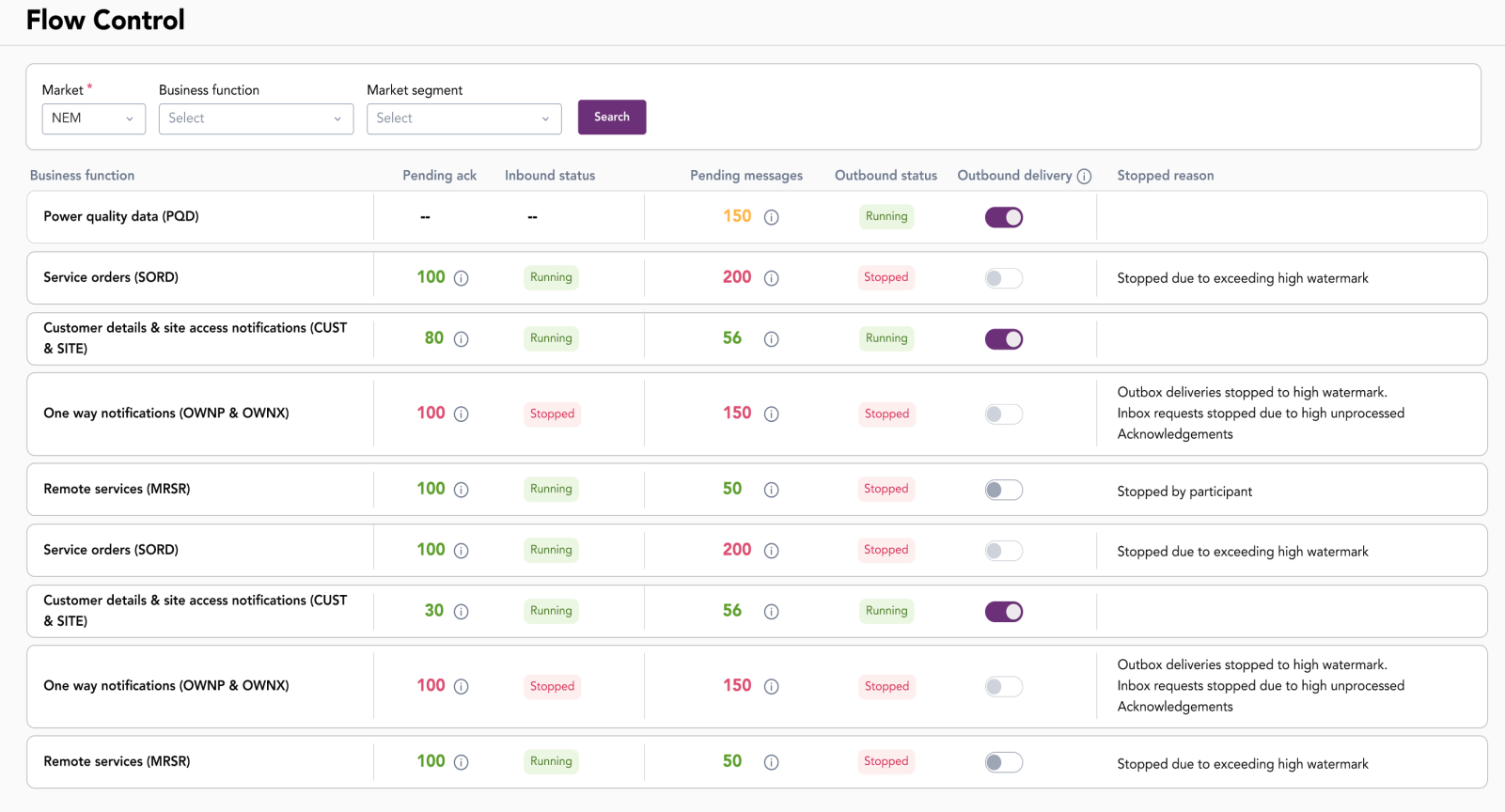
The interface includes a search filter to view business functions by market, business function, and segment.
Understanding flow control
Flow Control in IDX manages message delivery by monitoring message queue limits defined by watermark levels. These limits are defined for each business function and determine whether participants are warned about delays or are stopped from sending files.
The watermark levels are defined for each business function. The total message count for all resources in a business function determines the queue's overall message count.
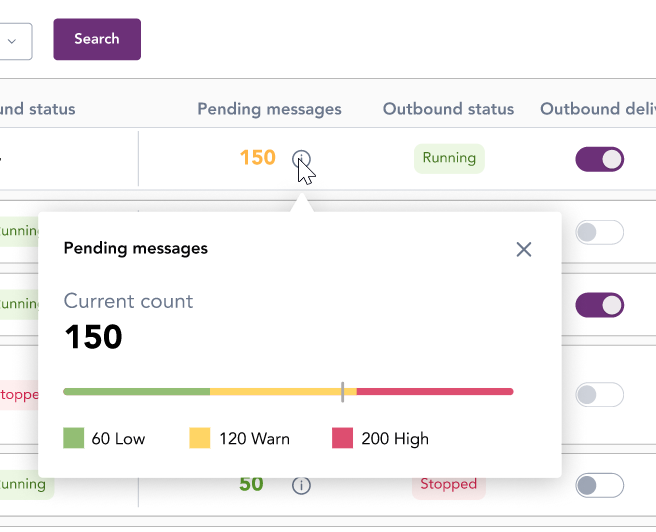
There are three watermark levels based on the number of unacknowledged or unretrieved messages in a participant’s queue, as described in the following table.
|
Watermark |
Inbound message |
Outbound message |
|---|---|---|
|
Low |
Inbound message acknowledgement flow is operational. The Participant’s outbound queue is approaching the low watermark for pending acknowledgement messages
|
Inbound message flow is operational. When the participant retrieves enough messages so the message count drops below the low watermark, message flow restarts |
|
Warn |
The warning indicates that the participant is delayed in processing message acknowledgements and may soon reach a stop threshold |
The warning indicates that the participant is delayed in retrieving messages and may soon reach a stop threshold |
|
High |
The number of message acknowledgements in a Participant’s outbound queue has exceeded the high threshold and the message flow is stopped |
The number of unretrieved messages has exceeded the high threshold and the message flow is stopped |
Flow control fields
|
Column name |
Description |
|---|---|
|
Business function |
Lists the Business Functions. For this IDX Release, only Power Quality Data (PQD) will be listed |
|
Pending ack |
Shows the number of pending acknowledgements for messages. Values are colour-coded according to watermark level. Clicking the information tooltip displays watermark details. |
|
Inbound status |
Indicates the status of messages to be acknowledged:
This is only applicable for business functions using an async data exchange pattern. This is not applicable for Basic Power Quality Data (BPQD) using the Fire and Forget data exchange pattern. |
|
Pending messages |
Displays the count of messages to be acknowledged. Higher numbers can indicate congestion. |
|
Outbound status |
The outbound message delivery status is one of:
|
|
Outbound delivery |
A switch to manually enable or disable outbound message delivery. |
|
Stopped reason |
The reason for inbound messages being stopped, such as:
|
Filter messages
To filter messages:
- Navigate to Industry Data Exchange > Flow Control.
- Use the filter options at the top of the interface to filter messages:
- Market: Select the relevant market. For example, NEM.
- Business function A logical grouping of related business services or sub-services for exchanging information between participants and AEMO on IDX.: Select the function to monitor. For example, Power Quality Data (PQD Power Quality Data. Measurements of power supply characteristics exchanged between participants and AEMO.)
- Market segment: Select a market if required.
Manage outbound delivery
The Outbound delivery switch allows you to temporarily stop or resume the delivery of outbound files for a business function.

While watermark‑based flow control can automatically stop message delivery when the high watermark threshold occurs, the Outbound delivery switch provides manual control.
Typically, participants pause message delivery when:
- Performing system maintenance or deployments.
- Investigating processing issues.
- Processing a message backlog and preventing new files from arriving.
To stop outbound delivery:
- In the business function row, switch Outbound delivery switch to Off.
- Confirm enabling outbound delivery.
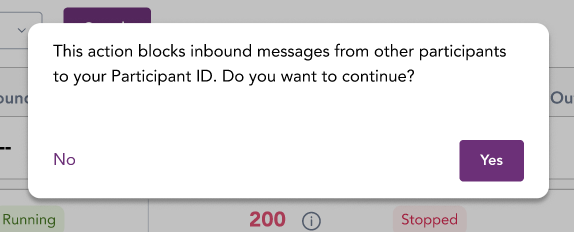
- Resolve any operational activities before re‑enabling delivery.
To resume outbound delivery:
- Ensure any flow control warnings or stop conditions are cleared.
- Switch the Outbound delivery switch to On.
- Confirm enabling outbound delivery.
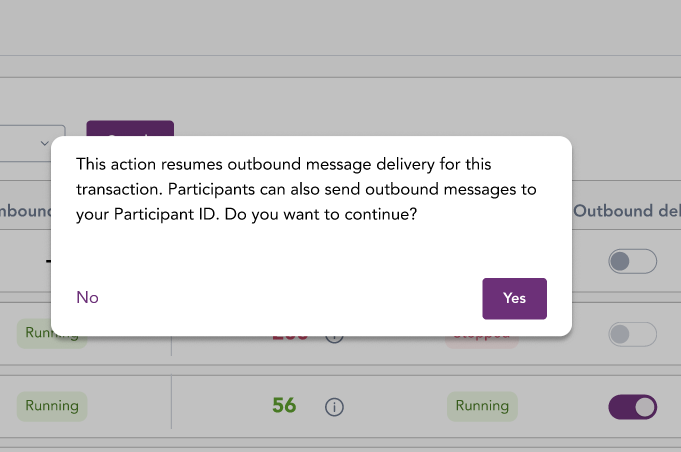
- Monitor the pending messages and acknowledgements.