Adding DER Installation Information
- From the Markets Portal, navigate to DERR > New DER Record. The Connection Agreement page displays.
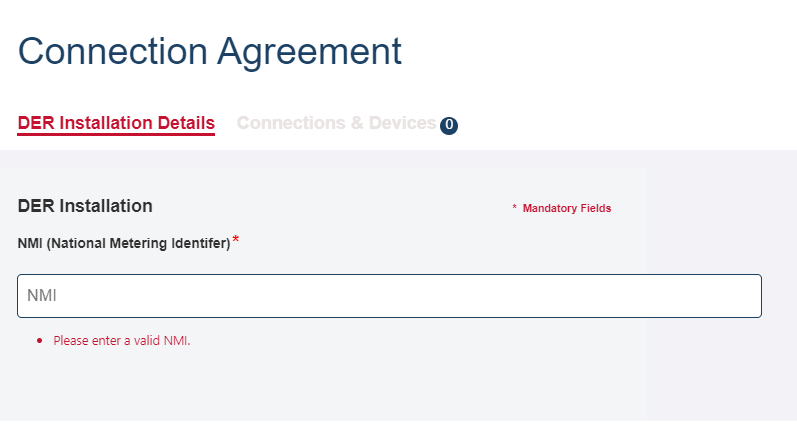
- On the DER Installation Details tab, in the NMI (National Metering Identifier) field, enter the NMI for which you want to create a DER record.
If the NMI exists in the DERR, relevant DER installation fields are automatically populated.
Tip: You can edit existing field details to ensure the data in the DERR is accurate. - Enter the mandatory information for the DER record.
|
Field |
Action |
Description |
|---|---|---|
|
NMI |
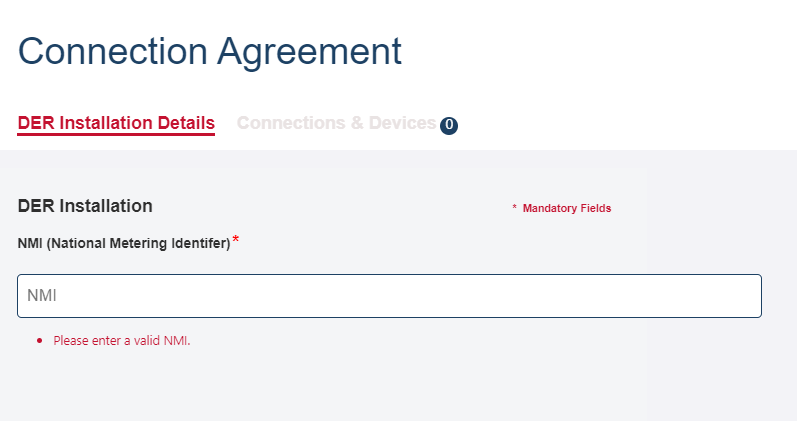
Enter the NMI for which you want to create the DER record for. |
Unique identifier for each connection point where DER installation has been installed/approved. NMIs are 10 characters long. |
|
Connection Agreement Job Number |
Enter the job number assigned to the DER installation. |
Unique identifier associated with the NSP’s connection offer/agreement for the approved DER works. Note: This number is used by Account-holders in combination with an NMI to access a DER Record in the DER Register. |
|
Approved Capacity (kVA) |
Enter the approved capacity for the generating unit. |
Approved small generating unit capacity as agreed with NSP in the connection agreement, expressed in kVA |
|
Number of Phases available |
Select the number of available phases from the dropdown. |
The number of phases available for DER installation. |
|
Number of Phases with DER connected |
Select the number of phases with a DER connected device from the dropdown. |
The number of phases that DER is connected to. |
|
Islandable Installation |
Select Yes or No from the drop down. |
Identifies small generating units designed with the ability to operate in an island mode. |
|
Central Protection and Control |
Select Yes or No from the drop down. If you select Yes, a list of protection and control fields display (see below) Enter the protection and control modes details. |
Describes the type(s) of central protection to be applied to the DER system. For DER installations where NSPs specify the need for additional forms of protection above those inbuilt in an inverter.
|
|
Protection and Control modes Complete these fields as required for the protection controls. Note: While the protection and control fields are optional, you will need to enter at least one of these fields before you can validate the connection agreement. |
||
|
Export Limitation (kVA) |
Maximum amount of power (kVA) that may be exported from a connection point to the grid, as monitored by a control / relay function. |
|
|
Under Frequency Protection (F<) |
Under frequency protection in Hz. |
|
|
Over Frequency Protection (F>) |
Over frequency protection in Hz. |
|
|
Over Frequency Protection Delay (F>) |
Over frequency protection delay in seconds. |
|
|
Under Frequency Protection Delay (F<) |
Under frequency protection delay in seconds. |
|
|
Over Voltage Protection (V>) |
Over frequency protection in Hz |
|
|
Over Voltage Protection Delay (V>) |
Over frequency protection delay in seconds. |
|
|
Under Voltage Protection (V<) |
Under voltage protection in volts (V) |
|
|
Under Voltage Protection Delay (V<) |
Under voltage protection delay in seconds |
|
|
Sustained Over Voltage (V>>) |
Sustained Over voltage protection in volts (V) |
|
|
Sustained Over Voltage delay (V>>) |
Sustained Over voltage protection delay in seconds |
|
|
Rate of Change of Frequency (RoCoF) |
Rate of change of frequency trip point (Hz/s ). |
|
|
Voltage Vector Shift |
Trip angle (Deg) |
|
|
Intertrip Scheme |
Description of the form of inter-trip (e.g. “from local substation”). |
|